Feature · Calling
Voicemail and call recordings in one place
Callers can always leave a message, with your own greeting — and you get an e-mail each time. Calls can be recorded too, and you play everything back in the app.
Included in every plan and in the 14-day free trial. The owner and managers can set it up.
Tip: tap full screen to watch — the text is easier to read.
Why teams use it
Every message, heard.
Your greeting, your way
Type what callers hear and pick a female or male voice — or upload your own recording as an MP3 or WAV.
An e-mail for each one
Turn on "Email me my voicemails" to get an e-mail each time someone leaves one, with a button to listen in RingIgnite.
A greeting per line
A line can have its own greeting: on Numbers, click "Set up" and pick "Custom greeting".
Listen in the app
Open Voicemails and press "Play". A message shows "New" until someone plays it.
Call recording
Call recording is on by default, and anyone who can see that line can play the recordings back.
Your choice
Switch call recording off at any time in Settings → Voicemail & Recording. Voicemail messages are always recorded.
Never miss a message
From the e-mail to Play
New voicemail on Sales & Support from David Miller
You have a new voicemail
FromDavid Miller
LineSales & Support
Length24 sec
Voicemails
A message shows "New" until someone plays it.
Example messages from our demo workspace.
Three steps
How it works
- 1
Step 1
Turn it on
Open Settings, then "Voicemail & Recording". Make sure "Enable voicemail" is on, and turn on "Email me my voicemails" to get an e-mail each time someone leaves one.
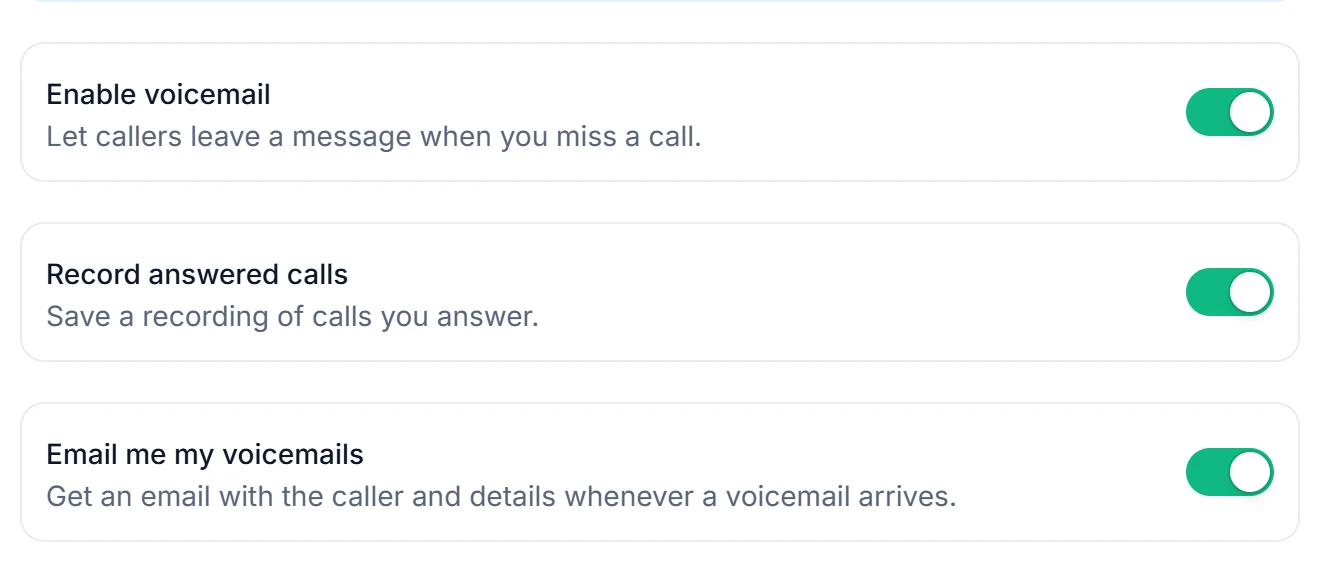
"Record answered calls" saves a recording of the calls you answer. - 2
Step 2
Choose your greeting
Type what callers hear and pick a female or male voice — or upload your own recording as an MP3 or WAV. Then click "Save Voicemail Settings".
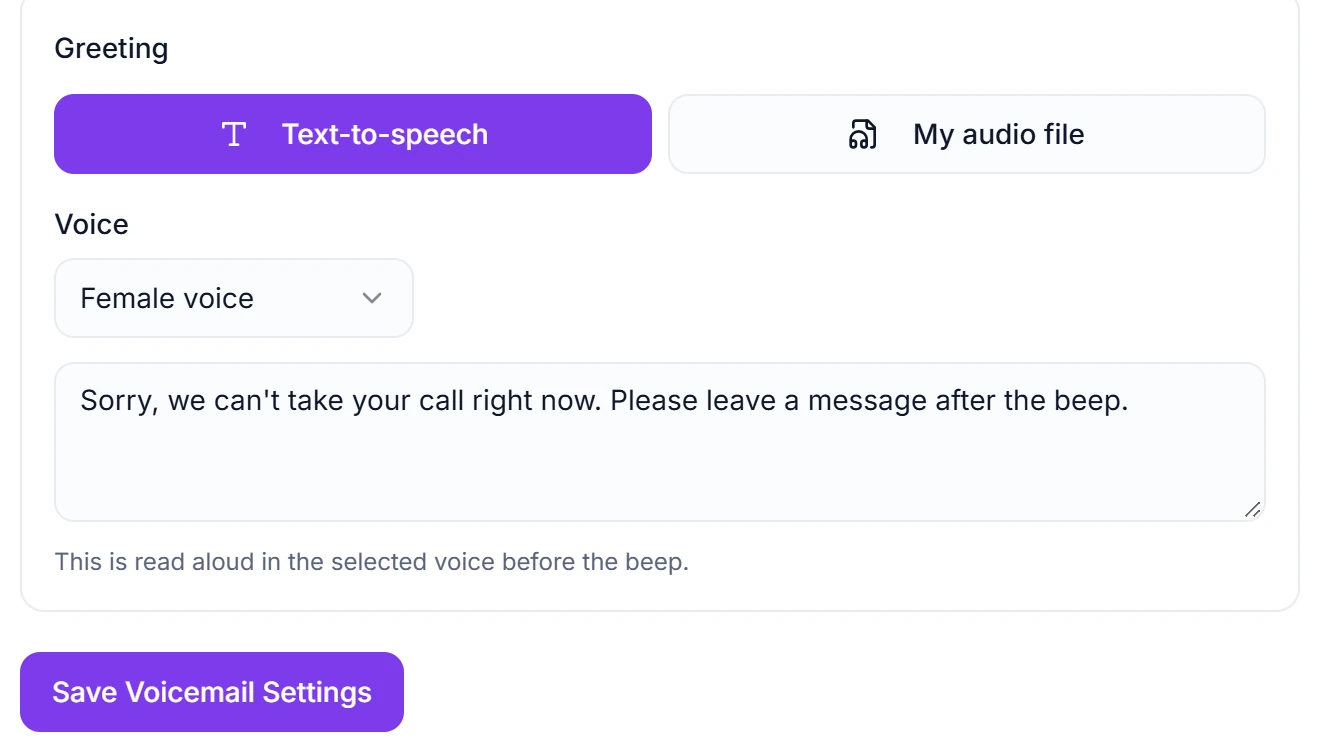
A line can have its own greeting too. - 3
Step 3
Listen in the app
Open Voicemails and press "Play". A message shows "New" until someone plays it.
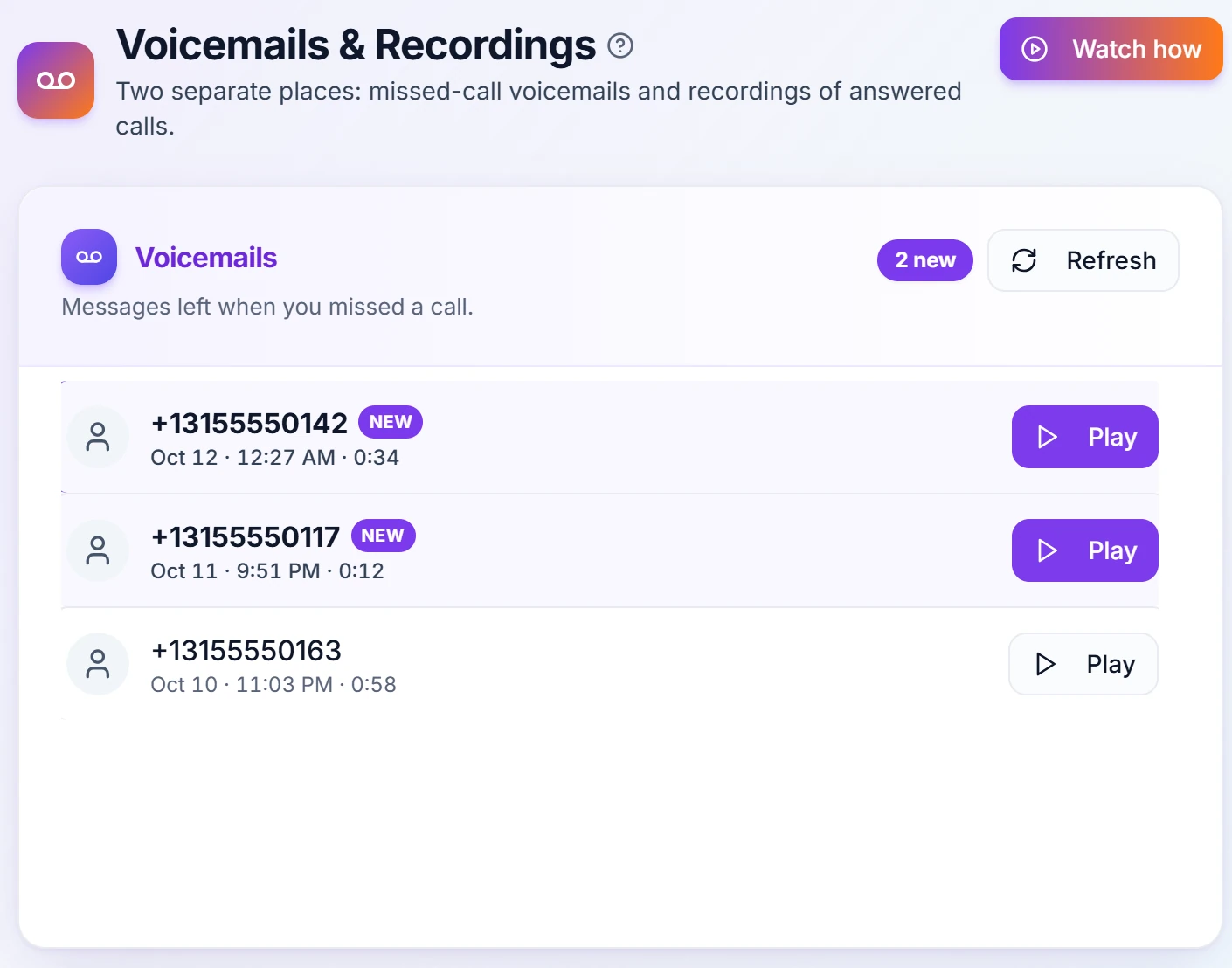
Your call recordings are on the same page.
Questions
What happens when I miss a call?
The caller hears your voicemail greeting (text-to-speech or your own recorded audio) and can leave a message. You'll see the missed call in your history and can get an email for every missed call and every new voicemail, with a button to listen in RingIgnite.
Are my calls recorded, and can I turn that off?
Call recording is ON by default, and recordings are stored against your account so you and anyone with permission to see that line can play them back. You can switch it off at any time in Settings → Voicemail & Recording. Voicemail messages are always recorded — that's the point of voicemail — and are separate from call recording.
Do I need to tell people that calls are recorded?
Very likely yes, and the rules depend on where you and the person you're calling are. Some places require only one person on the call to know; others require everyone to agree first. Because recording is on by default, please check what applies to you before you rely on it, add a spoken notice to your greeting if you need one, and turn recording off in Settings if you'd rather not record. We can't give legal advice — this one is genuinely worth two minutes with someone who can.
Related features
Set up your voicemail today
Start your 14-day free trial — voicemail, call recording and everything else included.