Feature · Calling
Business hours and after-hours calls
Set your business hours, so calls ring only when you're open. When you're closed, callers go to voicemail — or to another number, like an on-call phone.
Part of the Business plan — included in the 14-day free trial. The owner and managers can set it.
Tip: tap full screen to watch — the text is easier to read.
Why teams use it
Open when you are. Covered when you're not.
Your timezone
Check the timezone first — it shows the time there right now.
Hours for each day
Set each day's opening and closing times. Switch a day off to stay closed all day.
Overnight shifts
A closing time earlier than the opening time means an overnight shift, like 8 PM to 4 AM.
After hours, your way
When you're closed, calls go to voicemail, or forward to another number, like an on-call phone.
Quiet when closed
While you're closed, your Phone Menu doesn't play and nobody's app rings.
Per line
Need different hours for one line? On Numbers, click "Set up", then pick "Own schedule" or "Always open".
Closing time
Open, then closed
US Eastern (New York)
4:55 PM Friday
Mon
9–5
Tue
9–5
Wed
9–5
Thu
9–5
Fri
9–5
Sat
Closed
Sun
Closed
Open: calls ring normally.
Three steps
How it works
- 1
Step 1
Set your hours
Open Settings, then "Business hours". Check the timezone, turn on "Only take calls during business hours", and set each day's opening and closing times.
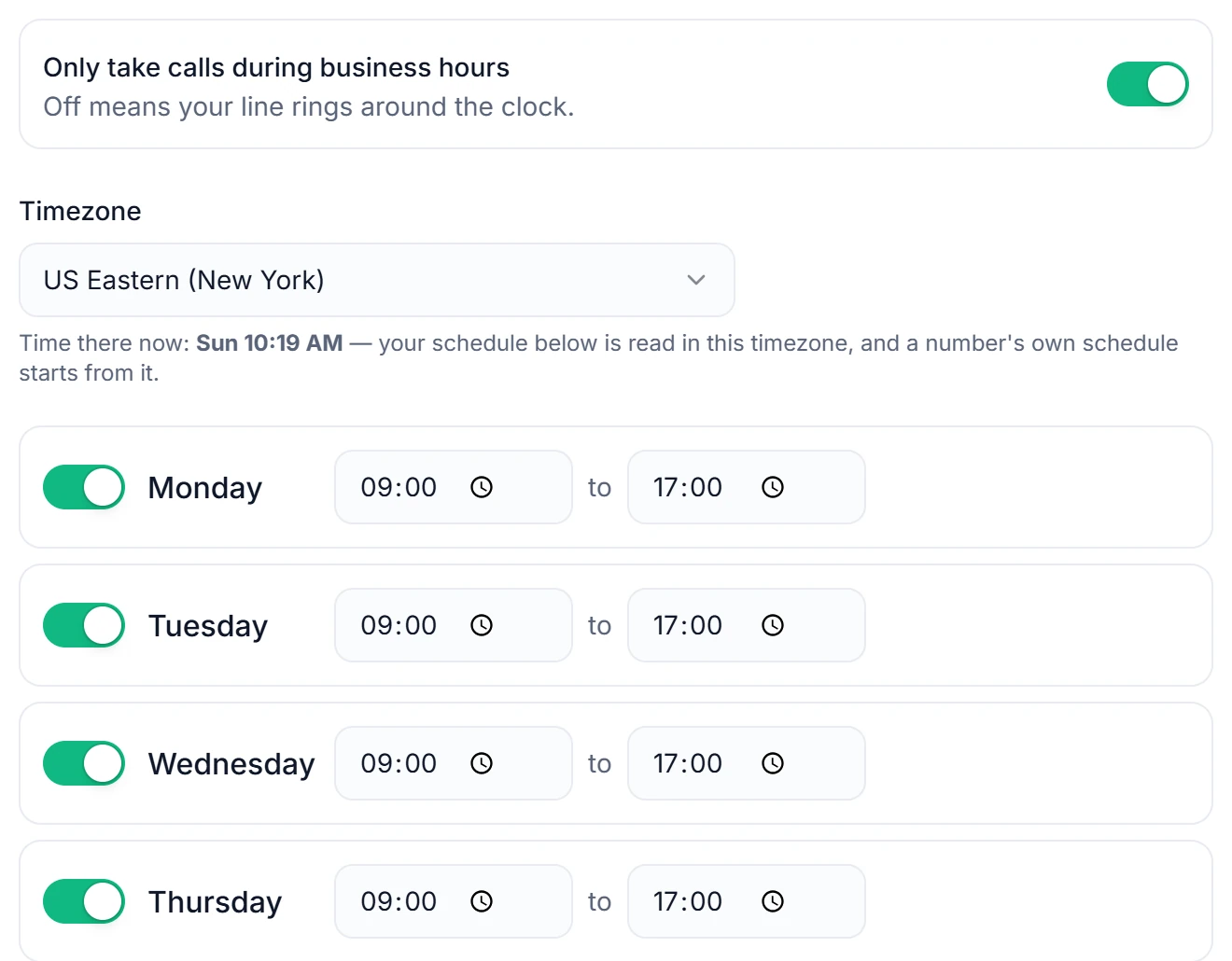
The time there right now shows under the timezone. - 2
Step 2
Choose what happens when you're closed
Go to voicemail, or forward to another number, like an on-call phone. Then click "Save business hours".
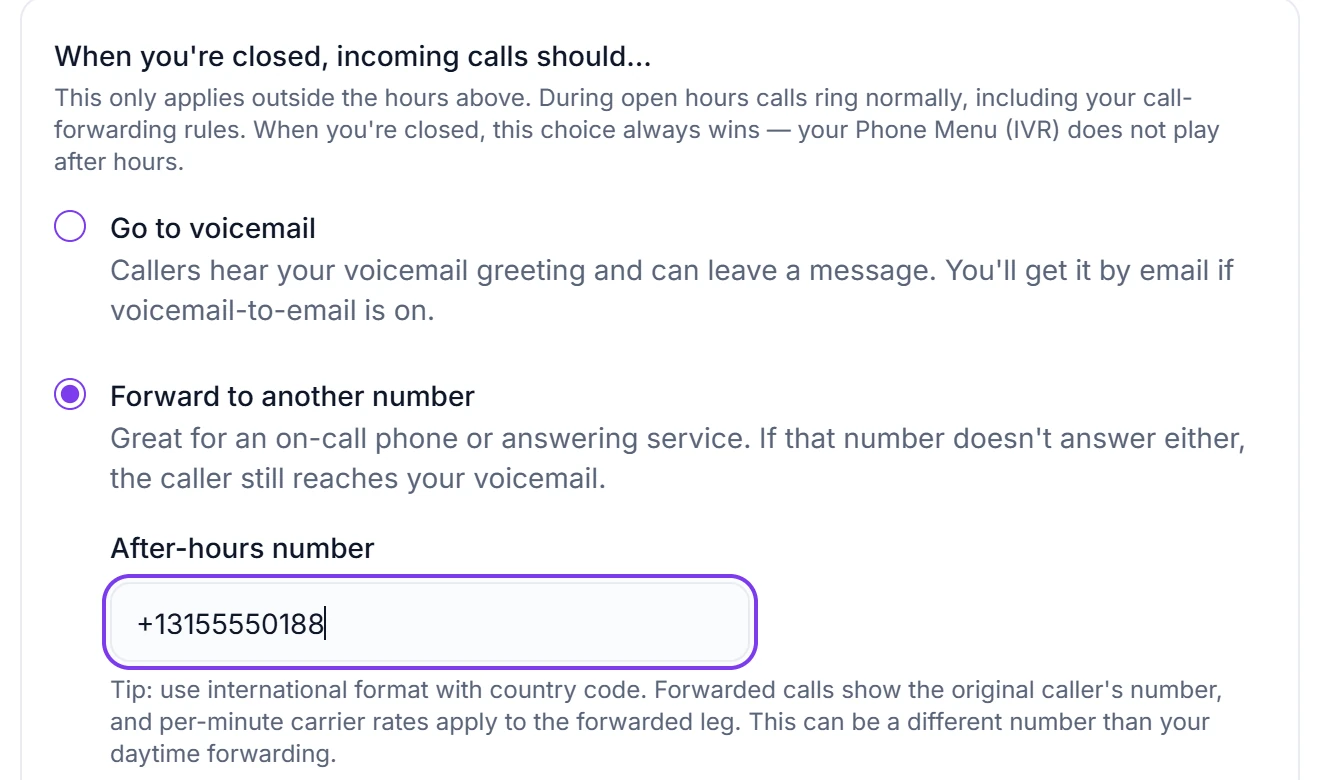
While you're closed, your Phone Menu doesn't play. - 3
Step 3
Different hours for one line
On Numbers, click "Set up", then pick "Own schedule" or "Always open" for that line.
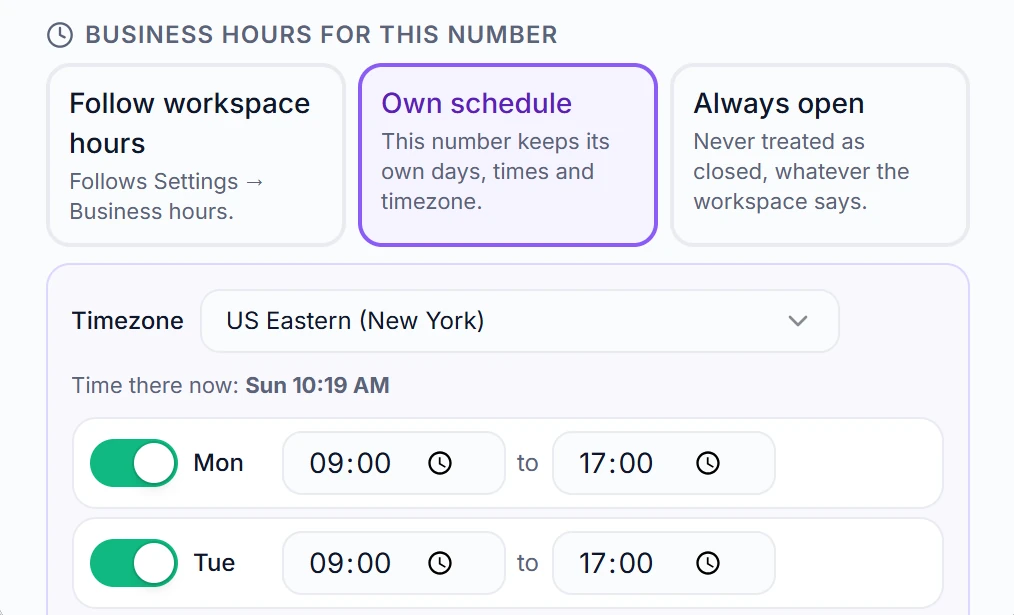
"Own schedule" keeps its own days, times and timezone.
Questions
Can I set business hours and after-hours handling?
Yes (Business plan). Set open/closed times per day in your timezone, and choose what after-hours callers get — straight to voicemail, or forwarded to an on-call number. Outside your hours, callers are handled automatically.
Does it have a phone menu / auto-attendant ("Press 1 for sales")?
Yes (Business plan). Build a phone menu where each key rings a specific teammate, rings your whole team, forwards to a number, or goes to voicemail. The greeting can be written for you automatically from your menu labels, typed as your own words read aloud, or your own recording uploaded as an MP3 or WAV.
Can I forward calls to my cell or another number?
Yes. In Settings → Call forwarding choose "Forward when I don't answer" (the app rings about 20 seconds first) or "Always forward" (calls skip the app), and type the number with its country code. That's the default for all your lines — to change just one line, open Numbers → Set up → "Forwarding for this number"; the line's own choice always wins. The forwarded phone hears which line the call is for and who's calling, and presses any key to take it; it shows the caller's own number. If nobody takes it, the caller can leave a voicemail in RingIgnite. Twilio charges the forwarded part of a call by the minute.
Related features
Set your business hours today
Start your 14-day free trial — business hours and everything else included.