Feature · Calling
Ring groups all at once or in order
Choose how a team line rings: everyone at once, where the first to answer takes the call — or one person at a time, in the order you set. In the app it's called "Shared line ringing".
Part of the Business plan — included in the 14-day free trial. The owner and managers can change it.
Tip: tap full screen to watch — the text is easier to read.
Why teams use it
Share the calls, your way.
Ring everyone
Everyone on the line rings at once. The first to answer takes the call.
Ring in order
One person at a time, from the top of the list.
Your order
In Numbers → Set up, move people up or down with the arrows, then click "Save".
Fair turns
Each person rings about 23 seconds with 2 people, 17 with 3, and 15 with 4 or more.
Nobody free?
If nobody answers, the call goes to the line's forwarding or voicemail.
Saves right away
Settings lists your team lines. Pick for each one — your choice saves right away.
Ring in order
One person at a time
Sales & Support
Team line · 3 people
Each person rings about 17 seconds with 3 people.
Shown faster than real time.
Three steps
How it works
- 1
Step 1
Pick how it rings
Open Settings, then "Shared line ringing". It lists your team lines — choose "Ring everyone" or "Ring in order". Your choice saves right away.
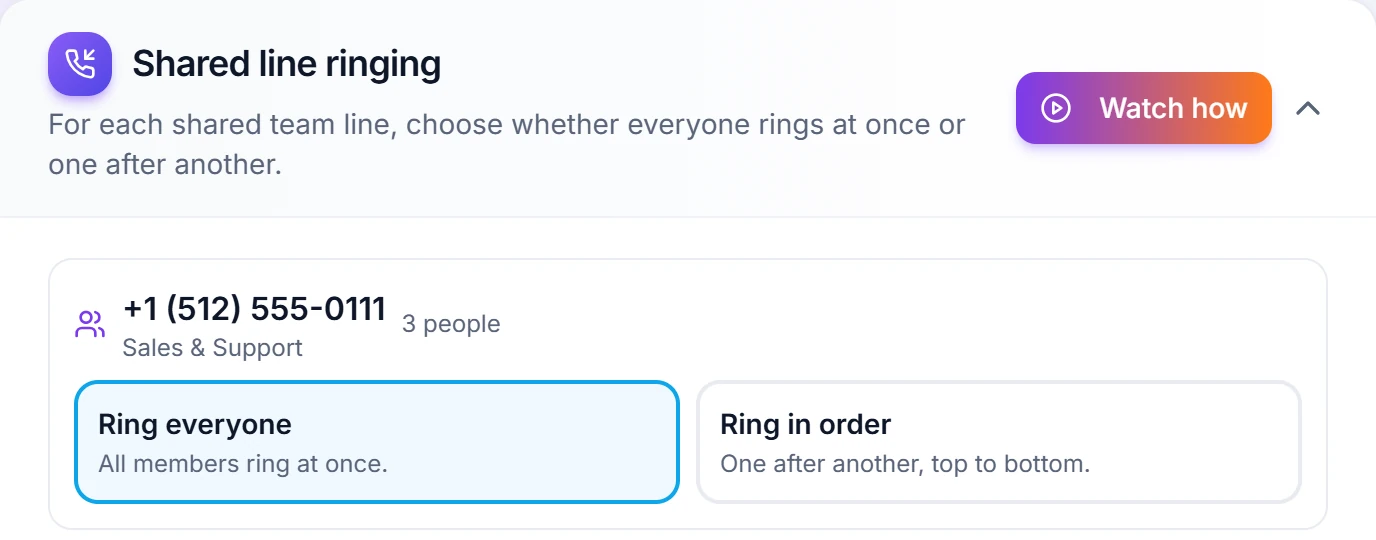
"Ring everyone" rings all members at once. - 2
Step 2
Set the order
Open Numbers, click "Set up" and pick "Ring in order". Move people up or down with the arrows, then click "Save".
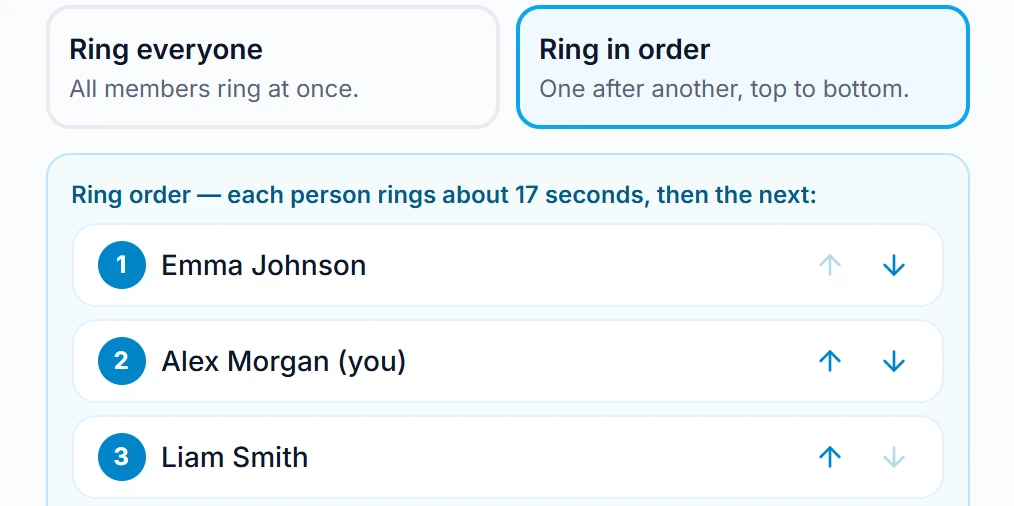
Each person rings about 17 seconds with 3 people. - 3
Step 3
If nobody answers
The call goes to the line's forwarding or voicemail. In the same Set up window, "Workspace default" follows Settings — or pick something just for this line.
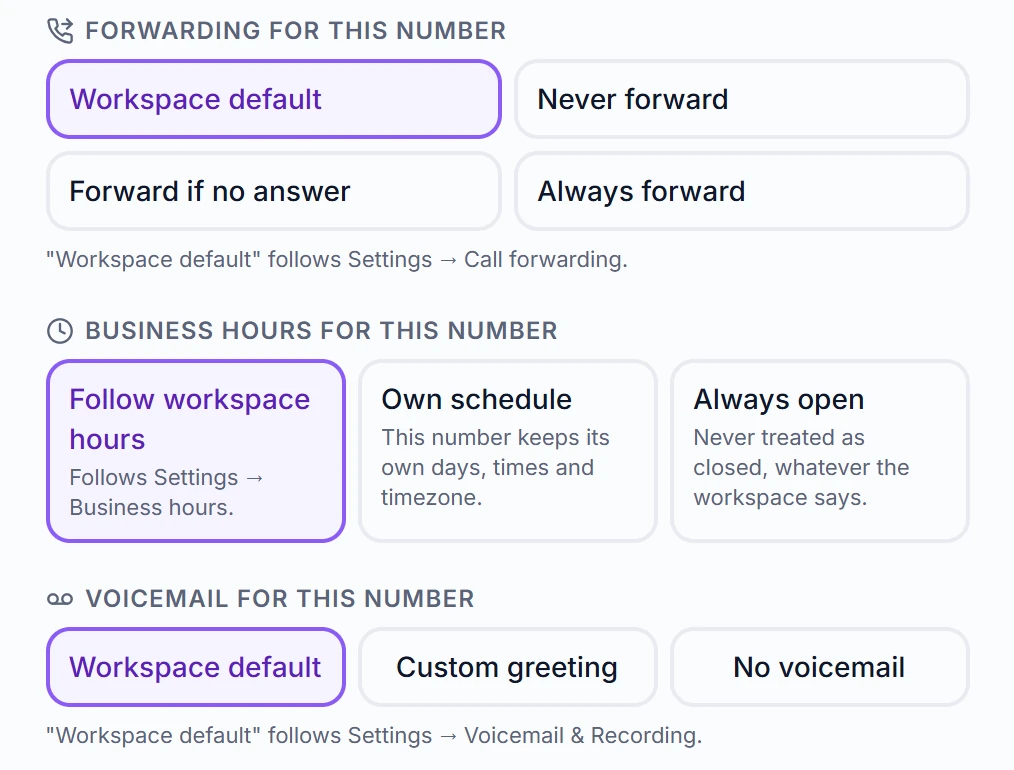
The line's own forwarding, hours and voicemail.
Questions
Can a team line ring people one after another?
Yes. In Settings → "Shared line ringing" choose "Ring in order" for a team line ("Ring everyone" rings them all at once). One person rings at a time, from the top of the list: about 23 seconds each with 2 people, 17 with 3, and 15 with 4 or more. Set the order in Numbers → Set up → "Ring in order" with the up and down arrows, then Save. If nobody answers, the call goes to the line's forwarding or voicemail. The owner and managers can change it.
Can two people answer the same call at once?
No — and that's deliberate. On a shared line everyone's device rings together, and the moment one person answers, everyone else stops ringing. The call history then records who actually took it, so you can see who handled what.
Can one number ring only me while another rings the whole team?
Yes, and it's set per number. In Settings → "Who rings on an incoming call", each of your numbers has its own choice: "Only me" makes it a private line that teammates never ring on, and "Me and my team" makes it a team line where the first person to answer takes the call. It saves right away. Only the account owner can make a line private or change a private line; managers can change team lines. To pick exactly who is on a line, open Numbers → Set up and tick the people who should ring, or choose "Direct line" to give it to one person. A team line can also ring people one after another instead of all at once — that's the "Shared line ringing" section just below it.
Related features
Share your calls the fair way
Start your 14-day free trial — ring groups and everything else included.