Feature · Calling
Phone menu (IVR) that routes every caller
"Press 1 for Sales, 2 for Support" — greet every caller and send them to the right person. Set it up per line, with an automatic greeting, your own words, or your own recording.
Part of the Business plan — included in the 14-day free trial. The owner and managers can set it up.
Tip: tap full screen to watch — the text is easier to read.
Why teams use it
Every caller, the right person.
Per line
Each line can just ring, play the Main Menu, or have its own menu.
Route anywhere
Each key goes to a teammate, the whole team, an outside number, or straight to voicemail.
Greeting writes itself
The automatic greeting writes itself from your options — or type your own words, or upload a recording.
Female or male voice
Pick a female or male voice for the spoken greeting.
Hear it before callers do
The box at the top shows exactly what callers will hear.
Sensible fallbacks
No key or a wrong key: the menu plays once more, then voicemail. When you're closed, callers get your after-hours choice.
What callers hear
Press 1 for Sales
Calling your business…
Callers hear"Thank you for calling. Press 1 for Sales. Press 2 for Support."
Pressing 1 rings Emma Johnson
Three steps
How it works
- 1
Step 1
Add your options
Pick the line, turn the menu on and click "Add option". Pick the key, type what callers hear, like "Sales", and choose where the call goes.
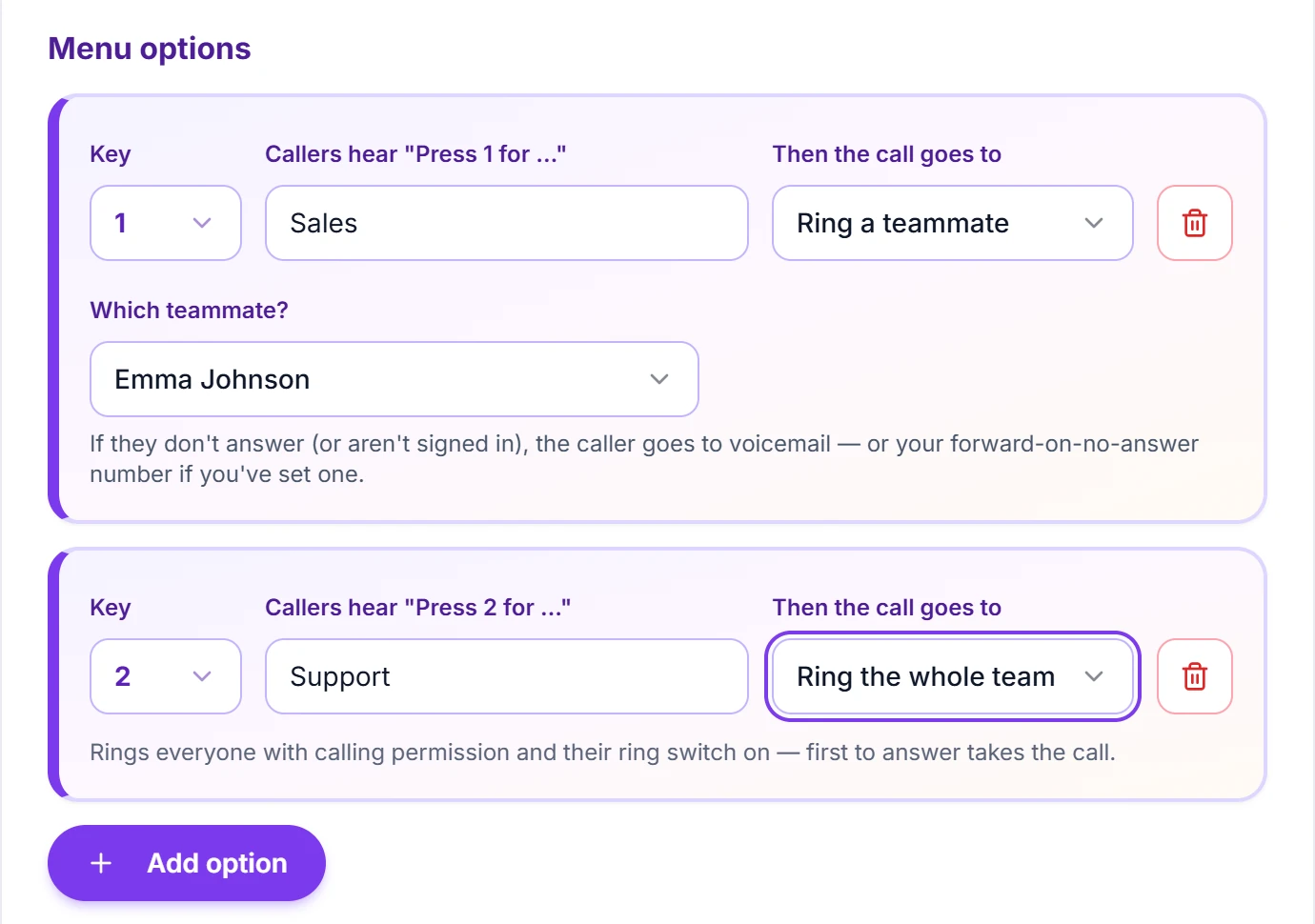
Keep it to 3 or 4 options — callers hang up on long menus. - 2
Step 2
Choose the greeting
Keep the automatic greeting, type your own words, or upload a recording — and pick a female or male voice.
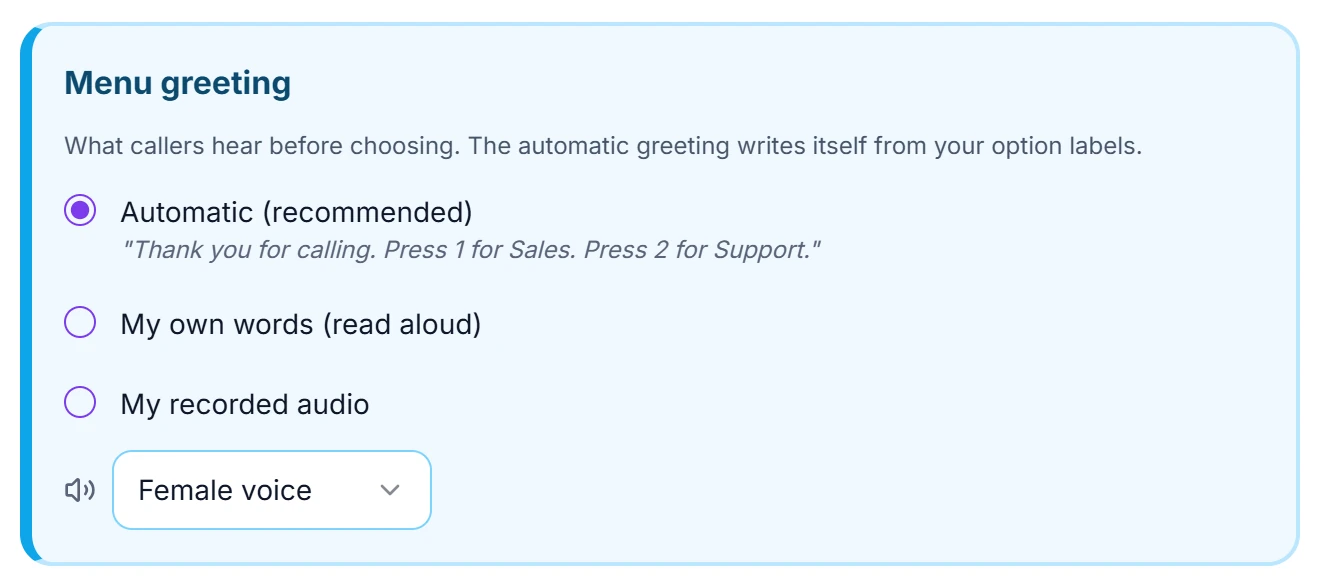
The automatic greeting writes itself from your options. - 3
Step 3
Check and save
The box at the top shows exactly what callers will hear. Click "Save", then call your number to hear it.
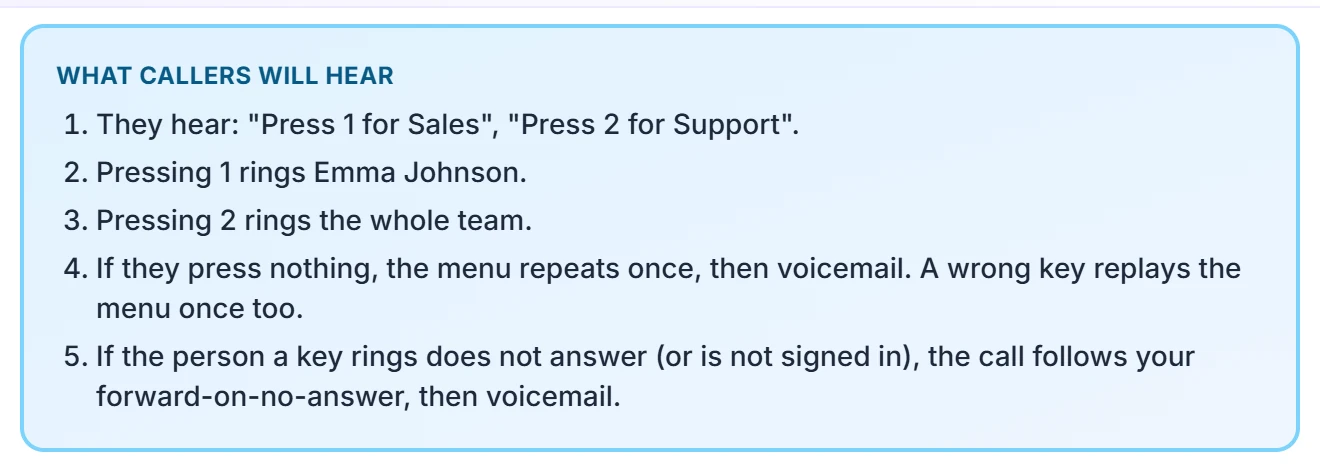
See exactly what callers will hear, before you save.
Questions
Does it have a phone menu / auto-attendant ("Press 1 for sales")?
Yes (Business plan). Build a phone menu where each key rings a specific teammate, rings your whole team, forwards to a number, or goes to voicemail. The greeting can be written for you automatically from your menu labels, typed as your own words read aloud, or your own recording uploaded as an MP3 or WAV.
Can different numbers play different phone menus?
Yes. On the Call Routing page you pick a line first, then choose whether it plays its own menu ("Press 1 for sales…"), shares one menu with your other lines, or has no menu at all and simply rings. A sales line and a support line can greet callers completely differently.
Can I set business hours and after-hours handling?
Yes (Business plan). Set open/closed times per day in your timezone, and choose what after-hours callers get — straight to voicemail, or forwarded to an on-call number. Outside your hours, callers are handled automatically.
Set up your phone menu today
Start your 14-day free trial — phone menus and everything else included.