Feature · Texting
Business texting from your own numbers
Text customers from your business numbers — on your computer or your phone. Each chat is one person and one of your numbers, replies go out from the number they texted, and you can see when each text is delivered.
Tip: tap full screen to watch — the text is easier to read.
Why teams use it
Every conversation, organised.
One chat per person
Each chat is one of your numbers and one person. A coloured tag shows which of your numbers they texted.
Choose the number
"Send from" shows the number your text goes out from. Teammates send from the numbers assigned to them.
Replies stay on track
Your reply goes out from the same number they texted — no mix-ups.
Know it arrived
Each text shows "Sent", then "Delivered". If one can't be delivered, a red line tells you why.
Templates and send-later
On the Business plan, save messages as templates and press the clock to send later.
STOP handled for you
If someone replies STOP, they're unsubscribed. They can text START to get your texts again.
Two-way texting
A real conversation
David Miller
Your number: Sales & Support
Hi, do you have the blue model in stock?
Yes! We have two left. Want us to hold one for you?
Sent
Yes please, I can come by at 4.
Three steps
How it works
- 1
Step 1
Start a text
Press "New", type their number or pick a saved contact. In the US and Canada 10 digits are enough; for other countries, start with + and the country code.
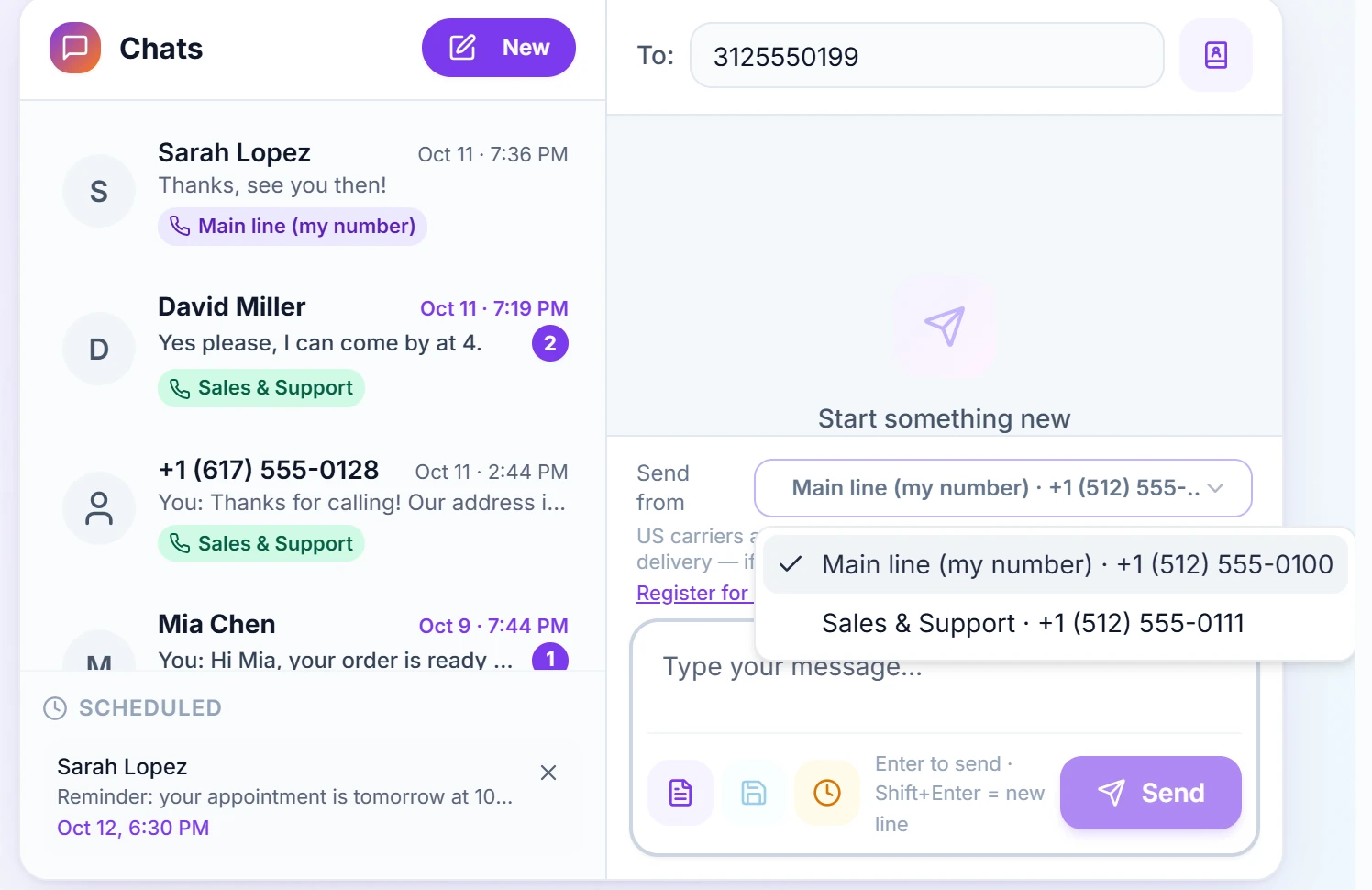
Pick the number your text goes out from. - 2
Step 2
Reply and see it delivered
Open the chat and type. Your reply goes out from the same number they texted, and each text shows "Sent", then "Delivered".
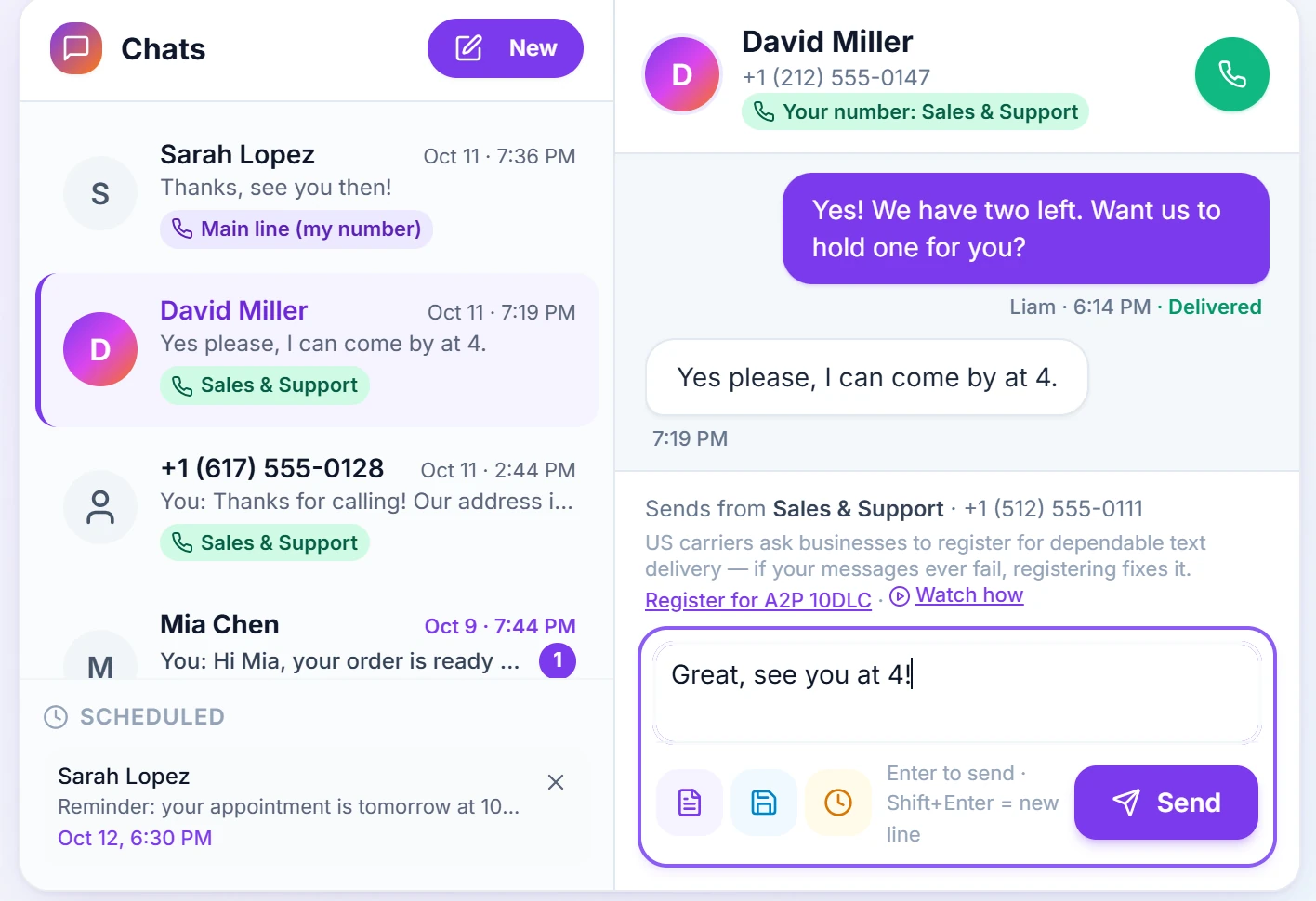
"Delivered" appears under each text that arrived. - 3
Step 3
Send it later
Press the clock to schedule a text. It waits under "Scheduled" — press ✕ to cancel it.
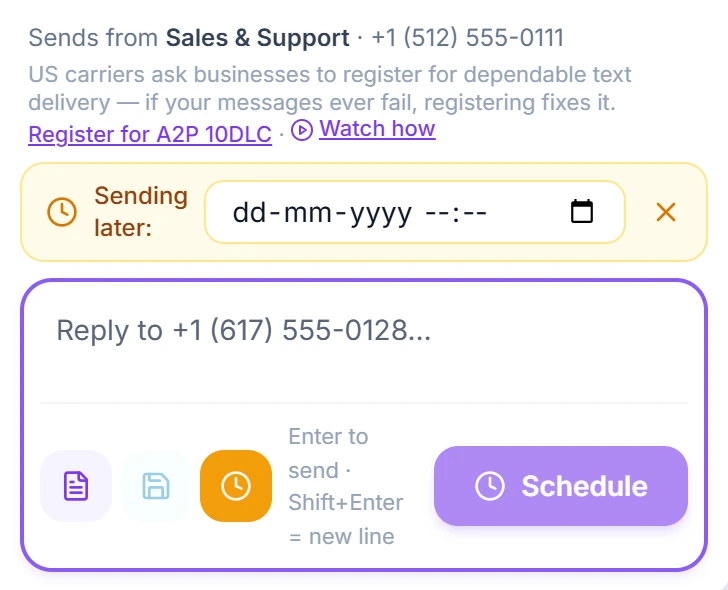
Pick a date and time — RingIgnite sends it for you.
Questions
How do I send a text to one person?
Open Messaging (Texts on a phone) and press New. Type their number — in the US and Canada 10 digits are enough; otherwise start with + and the country code — or pick a saved contact with the book icon. Write your message and press Send, or just press Enter. To reply, open the chat and type: the reply goes out from the number the person texted. Under each text you send you'll see Sent, then Delivered — or a red line saying why it couldn't be delivered (some networks never confirm delivery, so a text can stay at Sent). On the Business plan you can also save templates and send a text later.
Can I text people in other countries?
Yes, wherever Twilio supports messaging to that country from your number. Twilio bills you directly at their per-message rate for the destination, with no markup from us. A few countries restrict business texting from foreign numbers, so if messages to a particular country don't deliver, that restriction is usually the reason.
Do I need to register my business to send texts to US numbers?
Yes — US mobile carriers require every business to register before texts from a standard US number will be delivered, and this applies to everyone who sends business texts, not just to RingIgnite. It is a one-time form about your business (your name, address and what kind of messages you send), which you fill in right inside RingIgnite from the Messaging or Bulk SMS page; small businesses without a tax ID can register too. The US registry charges for it — a one-time brand fee (about $4.50 for a small business), a one-time campaign review fee (about $15), and a small monthly campaign fee (roughly $1.50–$10 depending on what you send) — all billed by Twilio to your own Twilio account, with nothing added by RingIgnite. Approval is usually quick, and once it is done your texting works normally with nothing further to do. It does not affect calls, and it does not affect texting outside the US.
Send your first text today
Start your 14-day free trial — texting, calling and everything else included.