Feature · Texting
Bulk SMS for business
Reach your whole customer list in one go — with a text that feels written just for each person. Reminders, offers, updates: send them now or schedule them, and see exactly who got them.
Included in the Business plan and in the 14-day free trial.
Tip: tap full screen to watch — the text is easier to read.
Why teams use it
One message. Every customer. Still personal.
Personal at scale
Each text carries the person's own name — written once, sent to everyone.
Private to each person
Everyone gets their own text. Nobody sees who else received it.
Now or later
Send straight away, or schedule it for the right moment.
Know who got it
Delivery reports show who received it, who didn't, and why.
Your contacts, or any list
Pick from your contacts or paste a list of numbers — duplicates are removed for you.
Twilio's real price
Each text is billed by Twilio at its own rate. RingIgnite adds no markup.
Write once
What your customers receive
{Name|there} once — each person sees their own name, or "there" when no name is saved.Your Business
Text message · now
Hi Ava, a quick reminder: see you tomorrow at 10.
Appointment reminders
{Name|there}Ava
Your Business
Text message · now
Hi Liam! Our spring sale starts Friday — 20% off everything.
Offers and sales
{Name|there}Liam
Your Business
Text message · now
Hi there! Reminder: we are closed on Monday.
Opening hours and closures
{Name|there}there
Only text people who've agreed to hear from you.
Three steps
How it works
- 1
Step 1
Choose who gets it
Pick people from your contacts, or paste numbers — one per line, with or without spaces. Numbers outside the US start with + and the country code.
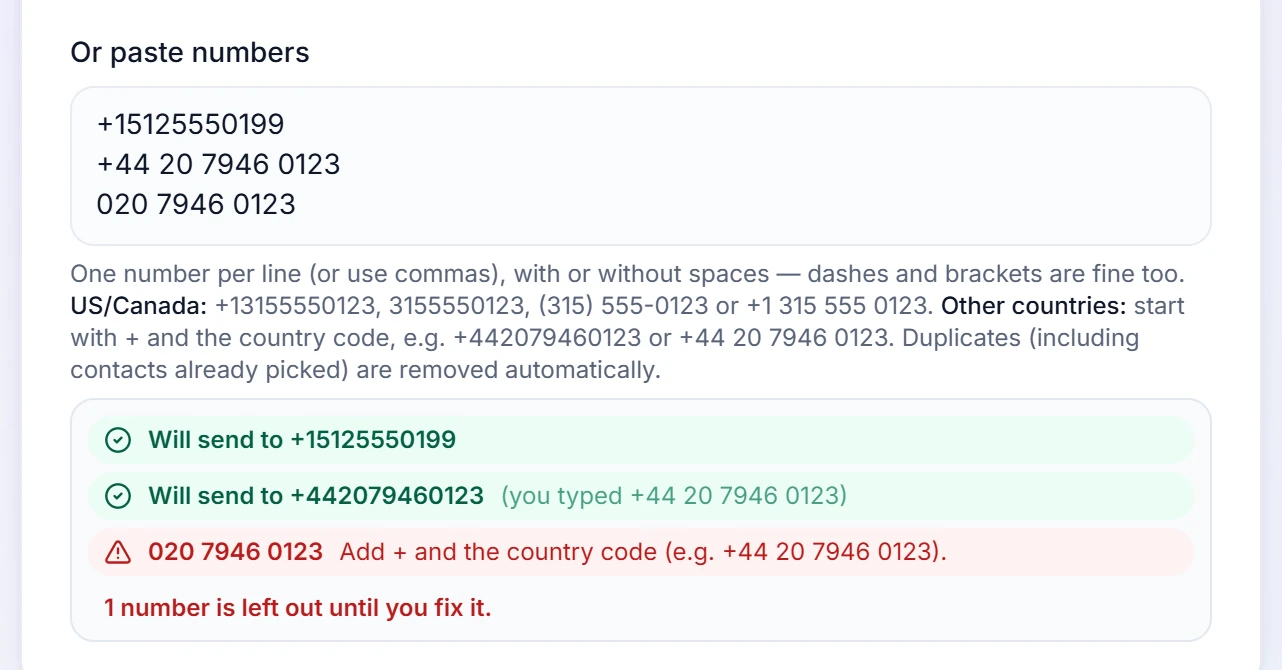
Numbers that need fixing are flagged before you send. - 2
Step 2
Write it once
Add {Name} and each person sees their own name; add a backup word, {Name|there}, for anyone without a saved name.
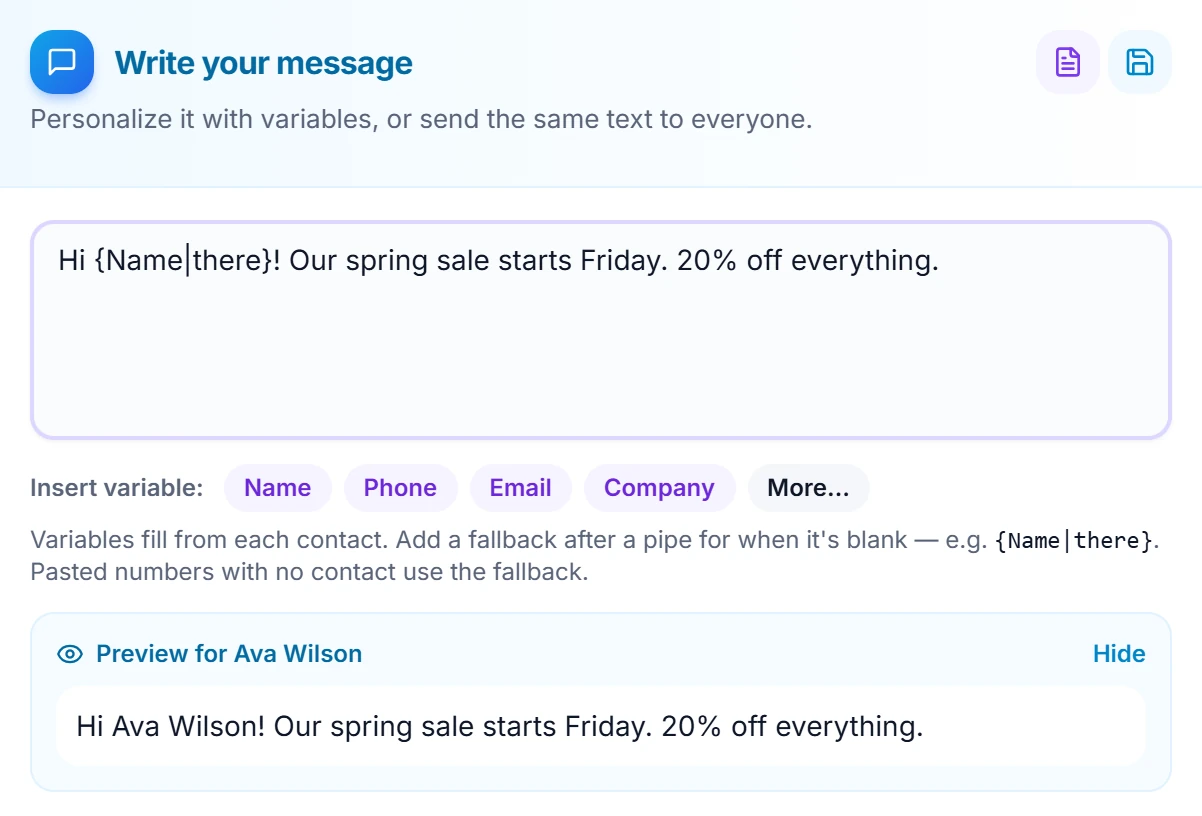
Preview shows exactly what the first person will get. - 3
Step 3
Send, then check who got it
Choose the number it sends from, then send now or schedule it. Afterwards, Delivery reports show every send.
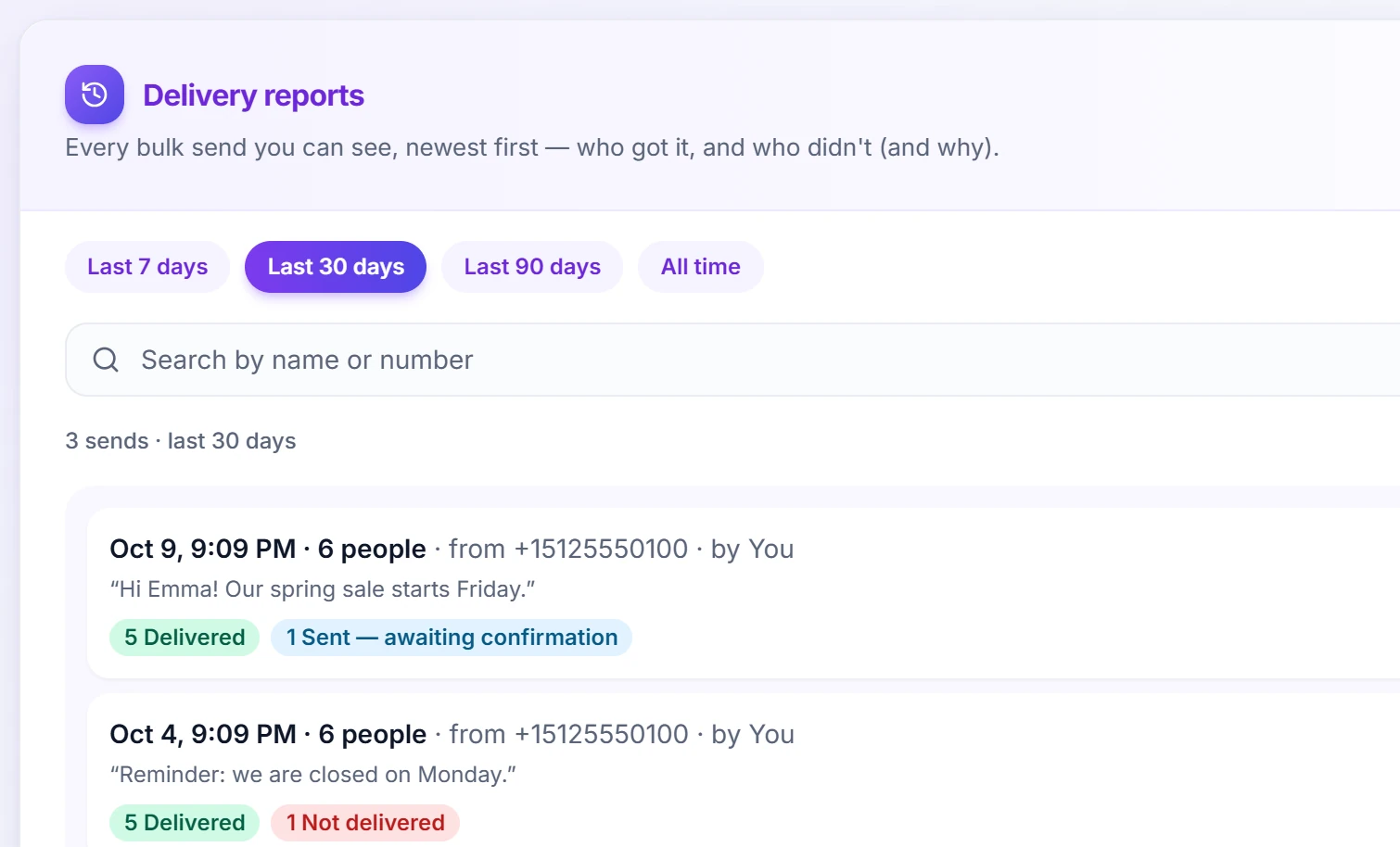
Delivered, waiting for confirmation, or not delivered — and why.
Questions
Can I send bulk or scheduled messages?
Yes. You can text multiple contacts at once, save reusable message templates, and schedule messages to send automatically at a future date and time.
How do I see who got my bulk text?
Open Bulk SMS. Right after a send, the top of the page shows its delivery report — click "Refresh" for the latest, or hide it (it stays in Delivery reports and comes back with the next bulk send). The "Delivery reports" tab lists every send, newest first: pick the last 7, 30 or 90 days or all time, show only sends with problems, or search by name or number. "Details" lists each person, problems first, with the reason in plain English. "Sent — awaiting confirmation" means the phone network accepted the text; some networks (often outside the US) never confirm delivery. Download a CSV of one send or of every send shown (times in your local time). The account owner sees every send; a teammate sees their own sends, plus sends from the lines they are on if they may "See all team calls & texts".
Do I need to register my business to send texts to US numbers?
Yes — US mobile carriers require every business to register before texts from a standard US number will be delivered, and this applies to everyone who sends business texts, not just to RingIgnite. It is a one-time form about your business (your name, address and what kind of messages you send), which you fill in right inside RingIgnite from the Messaging or Bulk SMS page; small businesses without a tax ID can register too. The US registry charges for it — a one-time brand fee (about $4.50 for a small business), a one-time campaign review fee (about $15), and a small monthly campaign fee (roughly $1.50–$10 depending on what you send) — all billed by Twilio to your own Twilio account, with nothing added by RingIgnite. Approval is usually quick, and once it is done your texting works normally with nothing further to do. It does not affect calls, and it does not affect texting outside the US.
Send your first bulk text today
Start your 14-day free trial — Bulk SMS, delivery reports and everything else included.